
How I Organize Printed Recipes With Plan to Eat
If you want to know how to organize printed recipes without creating another binder you will eventually outgrow, I understand the problem. Over the years, I have collected recipes in cookbooks, on handwritten cards, in emails, inside computer folders, on Pinterest, and as printed pages I was absolutely going to make “one day.” If you are still deciding whether digital storage, a binder, or another method fits your kitchen, start with my complete recipe organization guide.
The problem was not finding one more place to store them. I needed a system that would help me find the recipes again, decide what we were eating, and buy what I needed to make them.
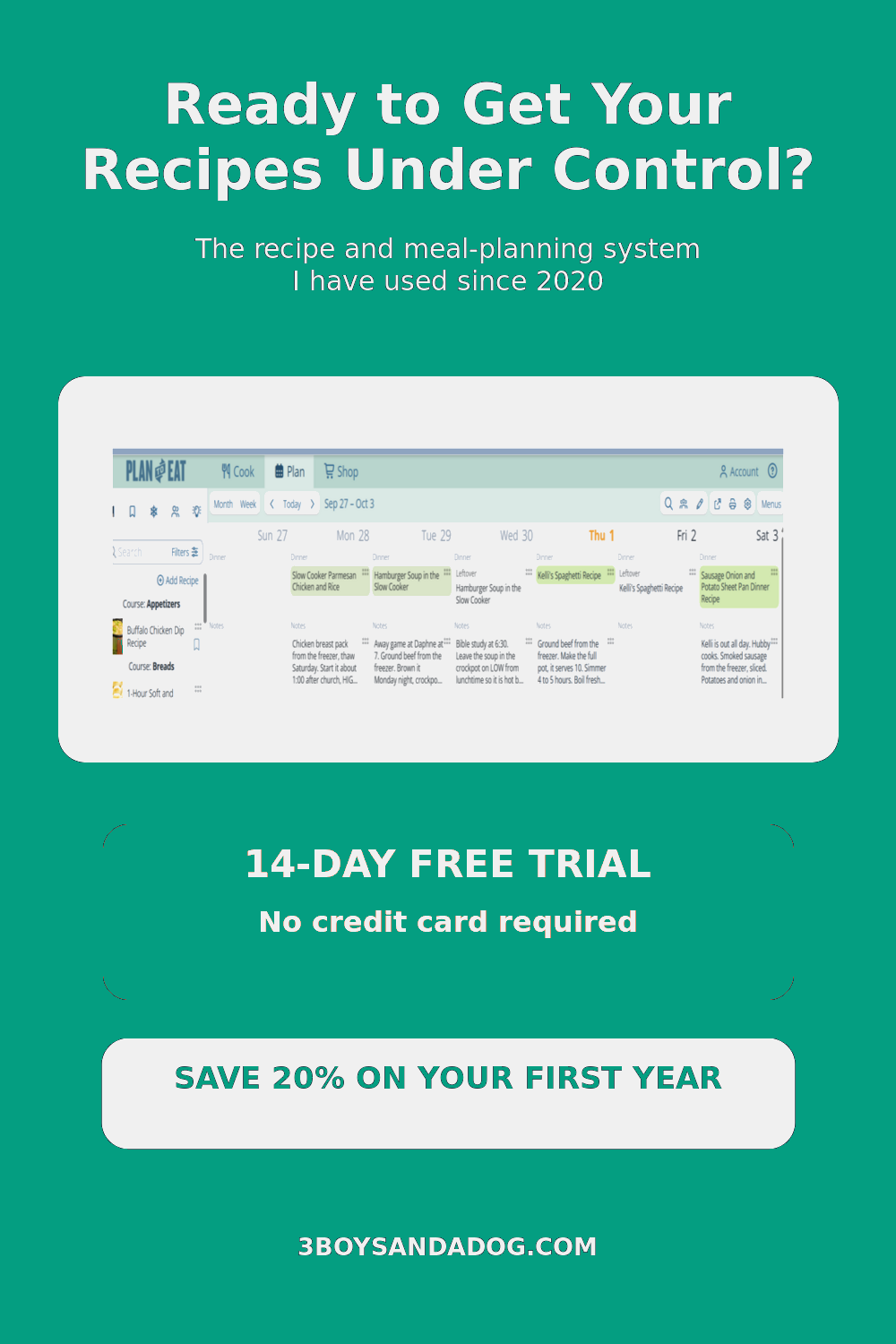
Affiliate disclosure: This post contains my Plan to Eat referral link. If you begin a trial through my link and purchase a subscription, you will receive 20% off your first annual payment and I may earn a commission. It does not cost you anything extra.
That is why I use Plan to Eat. I first paid for my account on February 14, 2020, so this is not an app I opened yesterday just to write a review. I have used it for more than six years, and it has become the system that connects my recipes, family meal plan, calendar, and grocery shopping.
THE SHORT VERSION
Sort your printed recipes first, discard the ones you no longer want, and preserve sentimental originals. Then import the recipes you actually plan to cook into a searchable digital organizer such as Plan to Eat. From there, you can categorize them, place them on a meal-planning calendar, and turn the ingredients into a shopping list.
Why a Recipe Binder Wasn’t Enough for Me
A three-ring binder can be a perfectly good way to organize printed recipes. You can add category dividers, place pages inside sheet protectors, and keep a separate section for recipes you want to try.
But a binder only stores the recipes. It does not remind me what I planned for Thursday, put the meal where the rest of my family can see it, or turn five dinners into a useful grocery list.
I also had recipes in too many formats for one binder to solve the whole problem. Some were printed from websites. Others lived in cookbooks, on recipe cards, on my phone, or somewhere in the depths of Pinterest. I needed one searchable home for the recipes I actually wanted to use.
Recipe storage and recipe organization are not always the same thing. A stack of beautifully protected pages is still frustrating if you cannot quickly find tonight’s dinner or remember why you saved a recipe.
First, Sort the Printed Recipes You Already Have
Before moving recipes into any system, sort the paper you already own. There is no benefit to spending time importing recipes your family disliked or that you no longer want to make.
- Family favorites: Recipes you know your family enjoys and expect to make again.
- Recipes to try: Recipes that still genuinely interest you.
- Sentimental recipes: Handwritten family recipes and originals you want to preserve.
- Discard: Duplicates, incomplete pages, unsuccessful recipes, and dishes that no longer suit your family.
Be especially selective with the recipes-to-try pile. If you would not choose it for next week’s meal plan, you probably do not need to spend time organizing it.
What to Keep on Paper
Digital organization does not mean throwing away every physical recipe. Keep original handwritten cards and pages that carry family history or sentimental value. Store them in archival-safe sleeves, a recipe box, or a recipe scrapbook. You can still photograph or scan them into Plan to Eat so the working copy is easy to find without risking spills on the original.
You may also want a small kitchen binder containing frequently used recipes if you prefer cooking from paper. The goal is to create a system you will continue using.
Related: How to Create a Beautiful and Organized Scrapbook for Recipes
Keep the Original
Protect handwritten cards and recipes with sentimental value. Store them safely instead of cooking from the irreplaceable copy.
Digitize the Working Copy
Add a photo or transcription to Plan to Eat so you can search, plan, and cook without damaging the original.
How I Move Printed Recipes Into Plan to Eat
Plan to Eat lets me collect recipes from different sources in one recipe book. For a printed recipe, cookbook page, magazine recipe, or family card, I can photograph the recipe and import it through the app. I then check the title, ingredients, and directions before saving it.
- Open Plan to Eat on the phone.
- Choose the option to add or import a recipe from a photo.
- Photograph the printed recipe or cookbook page clearly.
- Review the imported title, ingredients, instructions, serving size, and notes.
- Correct anything that did not import cleanly.
- Add categories, tags, and a rating that will help you find it later.
- Save the recipe to your digital recipe book.
Do not skip the review. Printed pages with unusual layouts, decorative fonts, stains, handwriting, or multiple columns may need small corrections.
How I Organize Recipes So I Can Find Them Again
A digital recipe book can become cluttered too. Categories and tags are what turn a collection into a usable system.
Useful categories
- Breakfast
- Soups and stews
- Beef, chicken, and pork
- Meatless meals
- Side dishes
- Breads and desserts
- Holiday recipes
Useful tags
- Quick weeknight dinner
- Slow cooker
- Air fryer
- Freezer-friendly
- Family favorite
- Kid-approved
- Recipes to try
Use language that makes sense to you. If you always think “cheap dinner” rather than “budget-friendly entrée,” organize it the way your brain will search for it.
Would you like to save this?
The Feature That Changed More Than My Recipe Storage
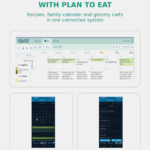
The real reason Plan to Eat works for me is that the recipe book connects to the meal-planning calendar. I do most of my planning on my computer because I prefer seeing the larger screen. I can also access the plan and recipes from my phone when I am away from the computer.
How This Works in My House
Computer
Where I build the weekly plan
Phone
Where I check recipes away from my desk
Skylight
Where the kids can see what is for dinner
Walmart and Instacart
Where selected list items transfer into my cart
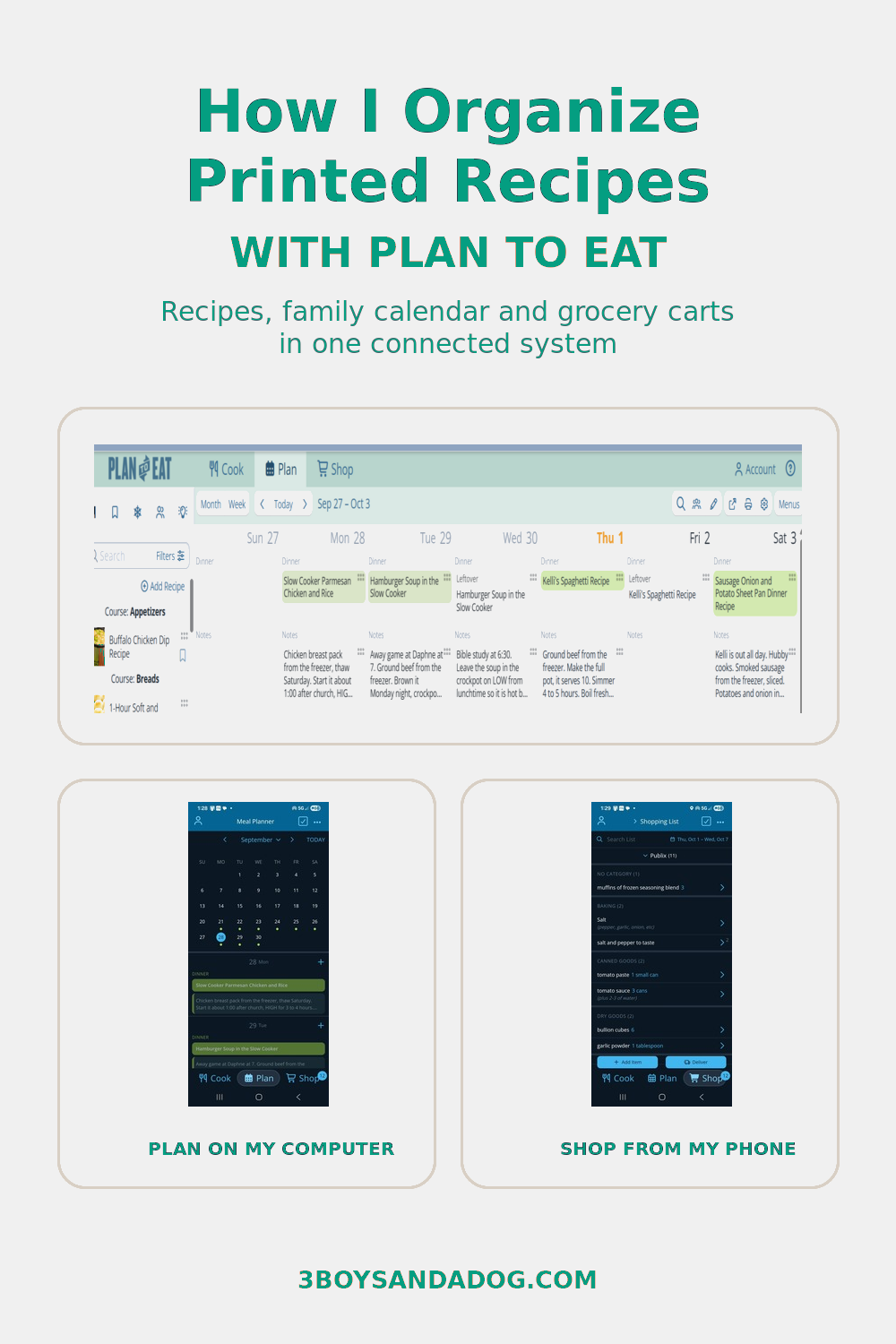
How Plan to Eat, Google Calendar, and Our Skylight Work Together
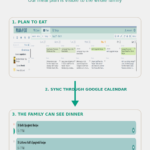
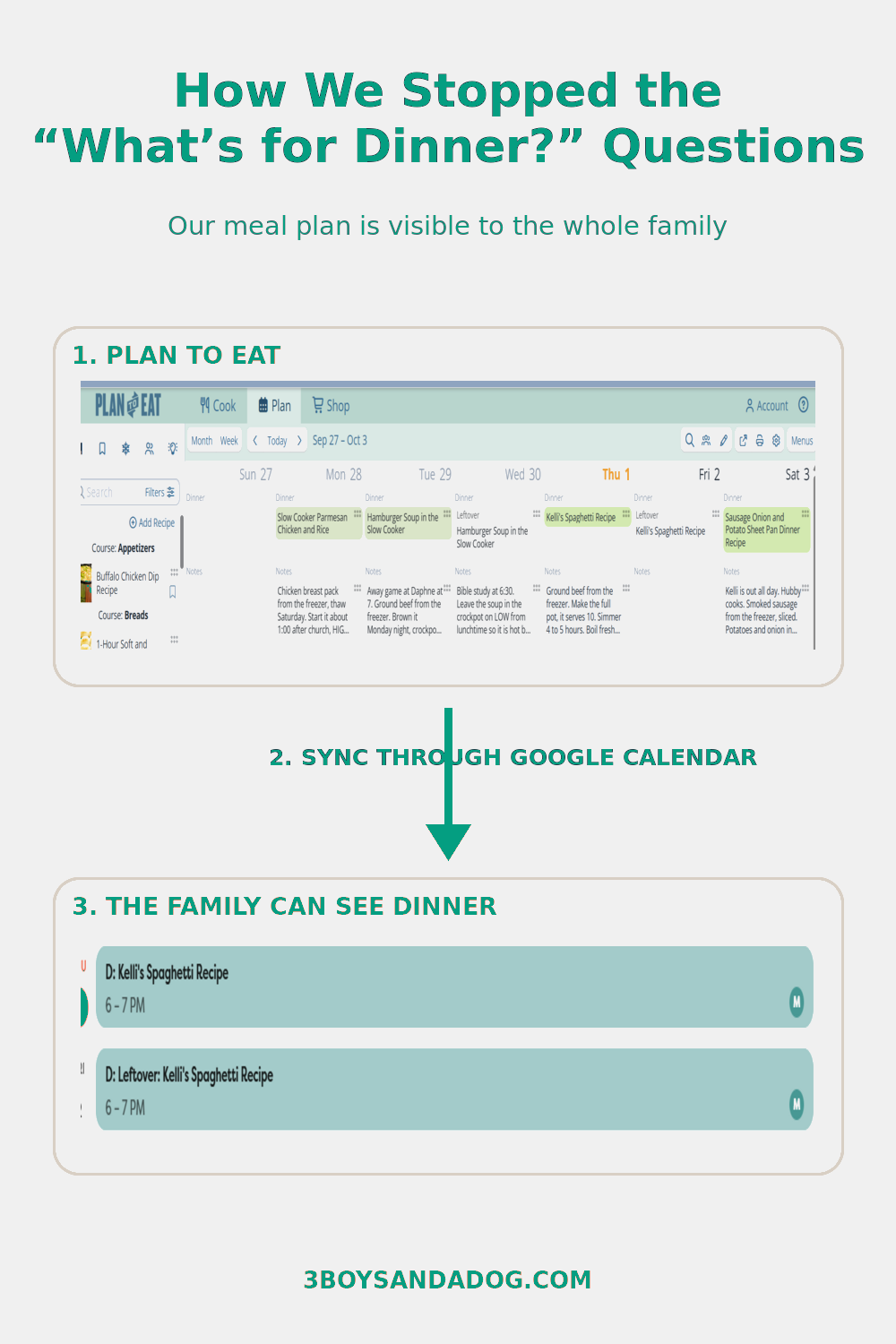
My Plan to Eat calendar connects to Google Calendar, and our Skylight displays that calendar for the family. That means the kids can look at the Skylight and see the dinner plan themselves.
This has stopped so much of the constant “What’s for dinner?” mess.
Plan to Eat does not need to connect directly to a Skylight for this setup. In my system, Google Calendar is the bridge between the Plan to Eat calendar and the Skylight display.
How I Use the Shopping List for Walmart and Instacart
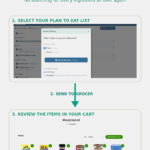
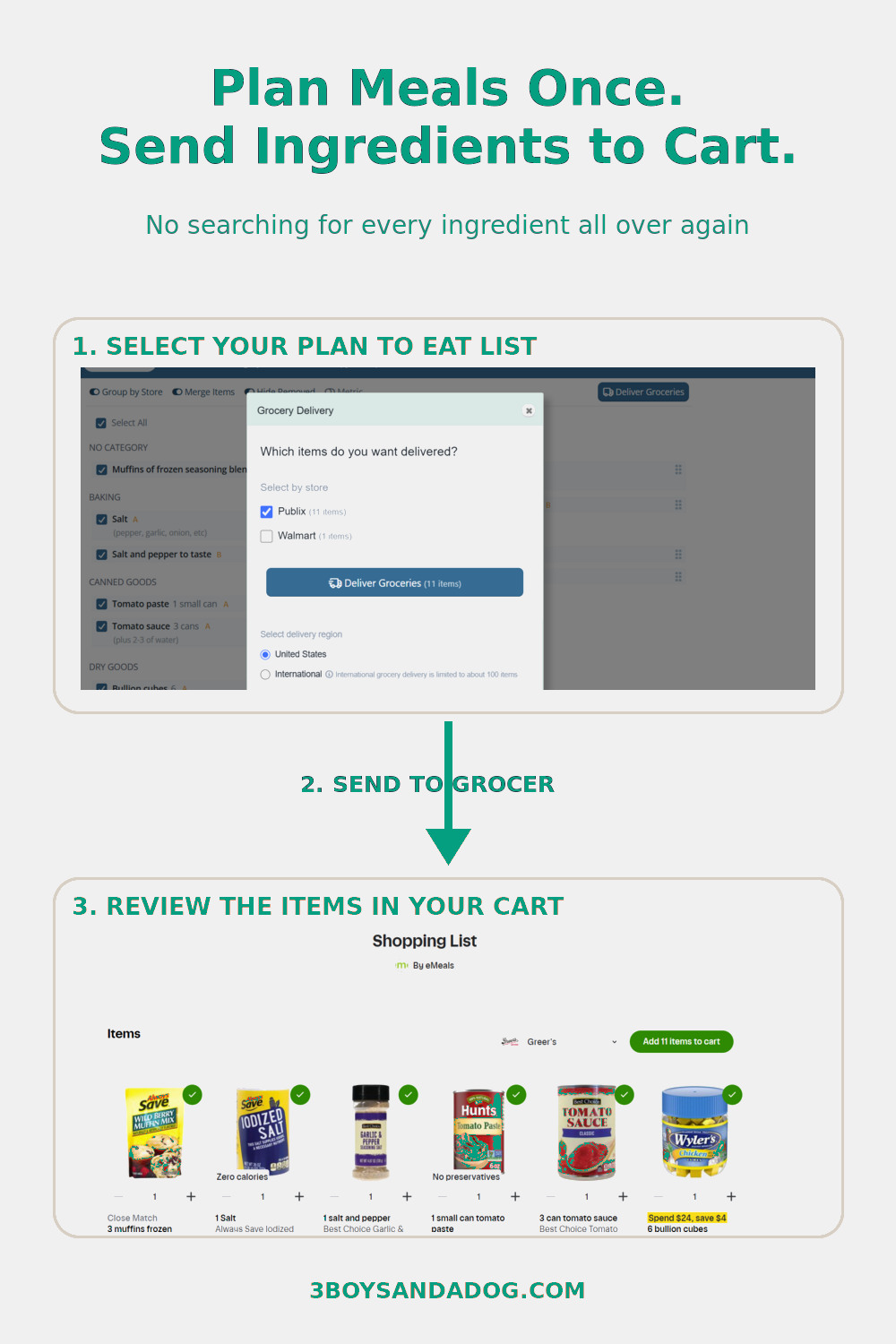
Once recipes are placed on the Plan to Eat calendar, their ingredients populate the connected shopping list. I do not have to sit there reading that list and searching for every item individually in another app.
Plan to Eat connects with grocery services, including the Walmart and Instacart options I use. After I merge and clean up my shopping list, I select the items I want and send them to the grocery service. The items transfer into the online order so I can choose the brands, confirm quantities, review the cart, and finish checking out.
Recipe book
Calendar
Family view
Send list to cart
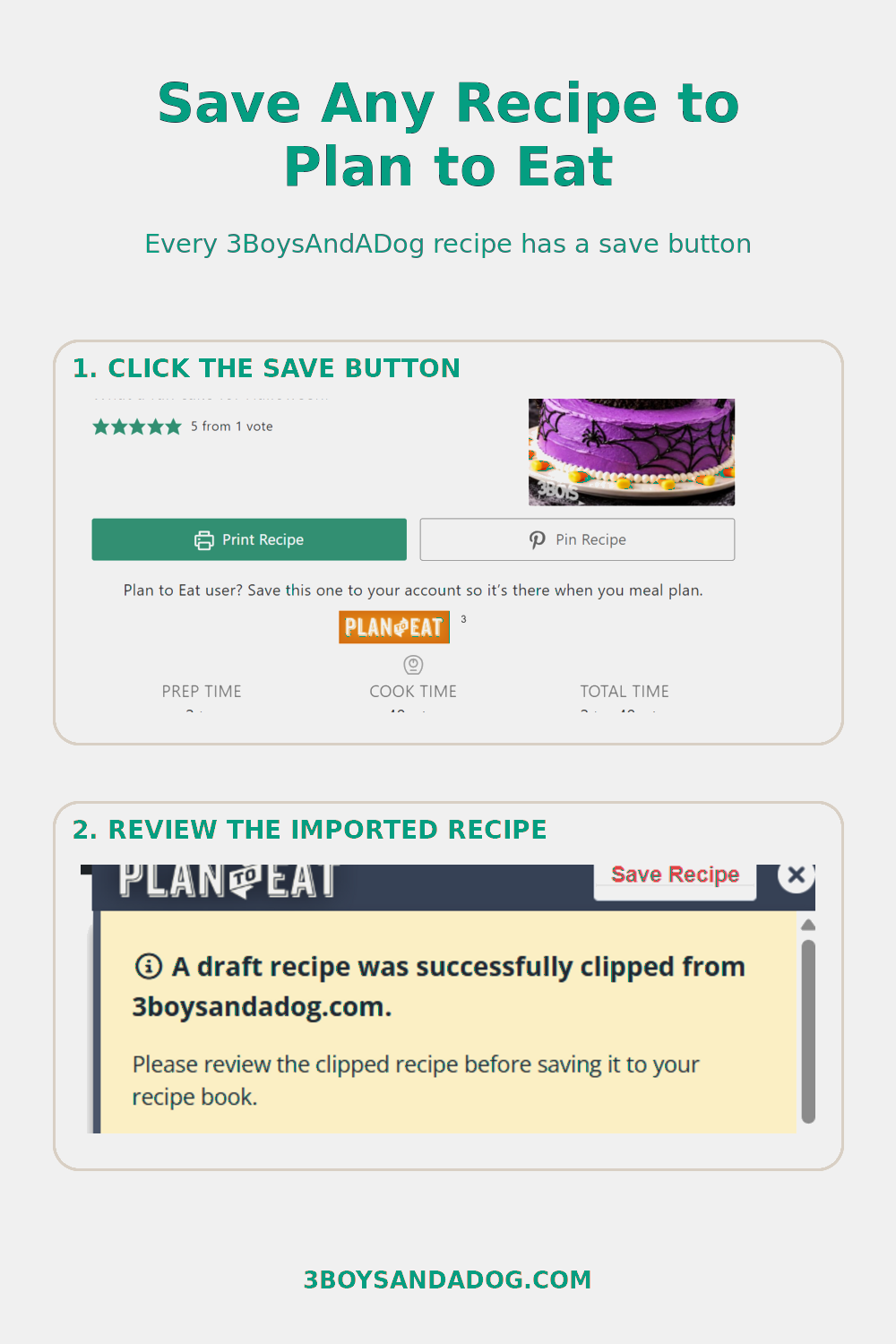
Save 3BoysAndADog Recipes Directly to Plan to Eat
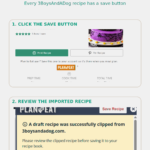
You do not have to copy and paste my recipes manually. Every recipe on 3BoysAndADog includes a Save to Plan to Eat button.
When you find a recipe you want to try, use that button to add it directly to your personal Plan to Eat recipe book. From there, you can organize it, add it to your meal-planning calendar, and include its ingredients in your shopping list.
Once your account is ready, browse my simple and easy recipes for busy moms and save the ones your family would enjoy.
Other Ways to Add Recipes
Plan to Eat can also help collect recipes from recipe websites, Pinterest, Instagram, Facebook, TikTok, YouTube, personal cookbooks, PDFs and documents, other compatible recipe programs, and recipes you enter manually.
What I Like Most After More Than Six Years
- I can plan on my computer where I have more room to work.
- I can access my recipes and plan from my phone.
- The meal plan can flow through Google Calendar to our Skylight.
- My family can see what is for dinner without asking repeatedly.
- Planned recipes create a connected shopping list.
- I can send selected list items into my Walmart or Instacart cart, then confirm brands and quantities before checkout.
- Readers can save 3BoysAndADog recipes directly to their own accounts.
Is Plan to Eat Right for Everyone?
A Good Fit If You
- Want to choose and keep your own recipes
- Have recipes scattered in several places
- Want meal planning and grocery lists connected
- Plan on a computer but need phone access
Not the Best Fit If You
- Want an app to choose every meal automatically
- Want a completely free system
- Prefer every part of meal planning on paper
- Do not want any initial setup
Try Plan to Eat and Save 20%
Plan to Eat offers a 14-day free trial without requiring a credit card. If you decide it works for your family, my referral link gives you 20% off your first annual subscription payment.
I may receive a 20% commission on your subscription payments when you join through my referral link. Your price is not increased to pay that commission.
Ready to Get Your Recipes Under Control?
Start with a 14-day Plan to Eat trial. If you decide to keep it, my referral link gives you 20% off your first annual subscription payment.



This is a super practical and helpful guide on organizing printed recipes and meal planning! It’s such a great way to keep the kitchen organized.
Thanks for the mention! Great information here.
TY for the tips, Elizabeth!